Products Dealers Contact Video History Support Reviews OEM

iLink Server Details
Back

Details Manuals Video Reviews 

Lets start with a little about the iPod

The iPod is a small computer hard drive with a very nice interface. Finding and playing music on the iPod is simple. Use the Click Wheel to navigate songs, or browse the Music menu by artist, composer, album, song, genre, or playlist. Want to mix things up? Click Shuffle Songs. iPod makes your music look as good as it sounds, thanks to its big, bright color display. Album art appears alongside your songs in the Now Playing screen, so you see your music as you play it. After all, the iPod loves music as much as you do.

Besides music the iPod can play audio books, radio, TV, movies and more. The digital shelves of the iTunes Store are stocked with thousands of audio books. Download what you want, sync to your iPod, and catch up on your reading. iPod automatically recognizes where you left off reading and bookmarks your place.

iTunes is your interface between your music and the iPod. It is a free program that runs on your Mac or PC and manages every aspect of your music. Turn your CDs into digital files by importing them into iTunes. Then organize your collection into play lists perfect for every occasion. Since all your music lives on your computer, you can burn backup CDs or transfer all or part of it to your iPod, including cover art. What’s on your iPod? Everything on iTunes. The moment you connect your iPod to your computer, iTunes starts to sync your music, automatically. Once it does, you can get a closer look at the contents of your iPod, courtesy of a handy summary in iTunes and manage the music you want available.

You may think, that it is a great product for kids, but the Apple designers had the foresight to allow iTunes and the iPod to work with CD data unlike any other CD ripping or burning programs - with bit-perfect accuracy. Many listeners have noticed that CDR copies of CD many times sound different. They do as they are not bit perfect. Almost all burning programs do a bit of re-equalization. iTunes makes a bit perfect copy and will store that data on the iPod. That is why this product will revolutionize our interface to our high-end systems.

iLink features and operation

The next part of the process is getting that perfect data stored on the iPod back out and to your audio system. Apple did not provide any digital output. This means that no matter what the price or grand claims, without an iPod upgrade, every docking station makes the iPod sound just the way you would expect it too - like a portable MP3 player. That is why we must upgrade the iPod. We provide the pure digital audio to the interface connector on the iPod. In that way, the MSB iLink can acquire the data, remove the jitter, and output it using a conventional digital audio output.

The iLink is a docking station for the iPod. Anytime the iPod is plugged in, it charges the iPod and keeps it charged. It also interfaces to the digital audio output from the iPod. The digital audio as received is full of jitter. MSB has applied our advanced buffering technology used in our Platinum DACs to completely eliminate excessive jitter. The data is stored in a half second memory buffer, and read back out using and ultra stable clock, formatted for output and sent to the digital outputs on the back of the iLink.

The iLink attaches to all brands and types of audio systems. For best sound quality, attach to a high-end Digital-to-Analog Converter (DAC) like the MSB Power DAC. The DAC outputs are connected to your preamp. In home theater systems, the digital connection is made to the surround processor.

iLink Remote Operation

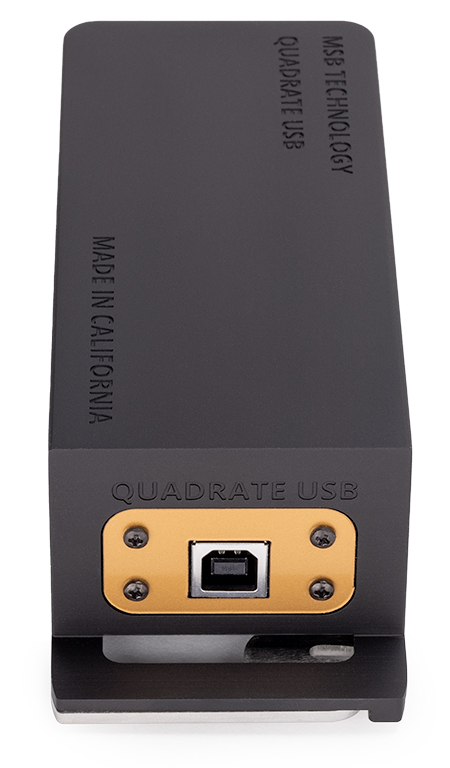
The iLink is supplied with an optional RF transmitter. It looks like a small connector. It plugs into the base of the iPod. It is powered by the iPod and transmits the digital audio to the base station any time the iPod is played. It has quite a long range but because the antenna is so small it can be shielded by your hand so care must be taken during remote operation to avoid dropouts. Ideal use of the remote feature is to select your song or playlist and set the iPod down on your coffee table or couch. You should experience the same perfect music reproduction that you do with the iPod plugged into the base station.

We are sure you will have more questions as this is a brand new technology. Check the Frequently Asked Questions about iLink Page for more information or give us a call.

iLink Performance - How does it sound?

The iLink provides your DAC with a bit-perfect data stream that is identical to that from a good CD transport. Here is how it works. The data is exactly the same on the iPod as on the CD. Now in our award winning CD player, we read the data from the CD and store it in a half second memory. Then we read it back out using an ultra-precision clock which forms the data stream used to send the data and the clock to the DAC. In the iLink we do the same thing. We use the same memory, clock and output circuits to send the same data to the DAC. The DAC does not know the difference. How does it sound? The way it is supposed to. Simple.

Some of you may wonder just why we care about a digital output if the iPod is so great at storing bit perfect data. It is easy to explain if you have ever listened to the iPod in a high-end system. Often in high-end products we can hear a difference but cannot measure it or see it with instruments. Not so with the iPod. You can see the difference in test patterns and real music easily. So there is no question about hearing it. The figure at the left are actual test data photographed from the screen of an oscilloscope, playing the same test track on the same iPod. In one case we measured the analog outputs of the iPod. In the other we measured the analog outputs of the MSB Power DAC, hooked up to the digital output of the iLink. Not only can you clearly see the improvement in noise, notice the ugly artifacts in the iPod output. In the second figure we are just looking as small snippet of real music. Even here you can see the artifacts in the iPod output. Now don't get me wrong, there is nothing wrong with the iPod. It is a good low-power DAC for driving headphones and playing MP3s. It is just not the caliber DAC required in a real system.


[Home] [Products] [Dealers] [Contact] [Register] [History] [Support] [Reviews] [OEM]